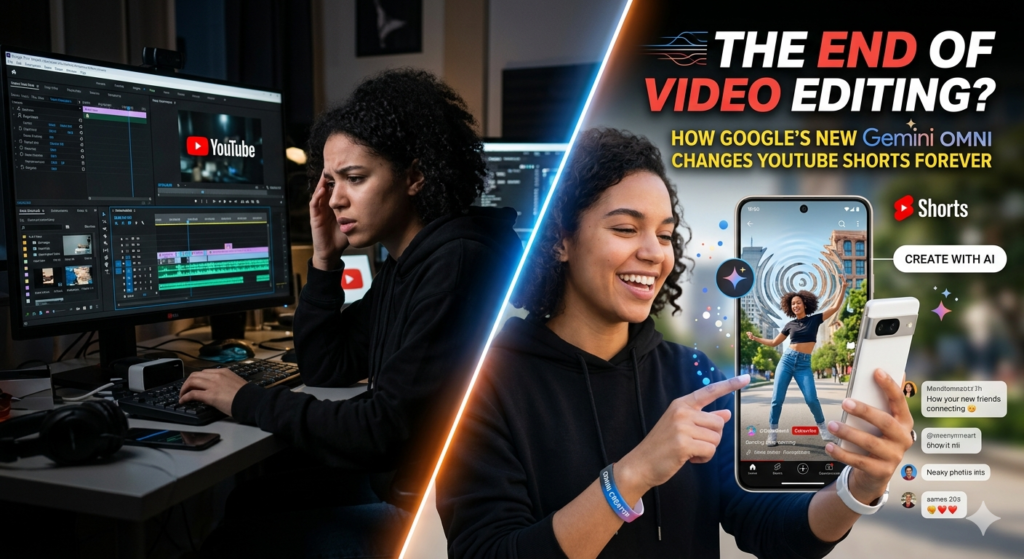
Gemini Omni: The traditional barriers of video editing are fading away. For years, content creation meant wrestling with complex timelines, keyframes, color grading wheels, and multi-layered rendering queues.
At its annual I/O developer conference, Google unveiled Gemini Omni, a native multimodal AI model built to fundamentally change how video is created and edited. Acting as a “world model” that merges advanced reasoning with high-fidelity production, Gemini Omni is effectively the video equivalent of what Google did for images—democratizing elite production tools into a fluid, conversational interface.
Table of Contents
What is Gemini Omni?
Gemini Omni is Google’s next-generation creative model designed around a simple yet staggering directive: “create anything from any input.”
Unlike older AI generation tools that rely strictly on text prompts to spit out isolated video clips, Gemini Omni natively understands text, images, existing video, and voice references simultaneously.
Instead of just generating pixels that look nice, Omni is fundamentally grounded in how the real world works. It is trained to understand the physical laws of nature, including:
- Gravity and Kinetic Energy: Objects move, drop, and collide realistically.
- Fluid Dynamics: Liquids ripple, splash, and flow with accurate physics.
- Narrative and Cultural Logic: It merges photorealism with an understanding of history, science, and storytelling context to create scenes that make structural sense.
The first model in this family, Gemini Omni Flash, is rolling out directly inside the Gemini app, Google Flow (an AI studio tailored for creatives), and YouTube Shorts.
How It Empowers and Revolutionizes the Creator Economy
Omni isn’t just an addition to a creator’s toolkit; it is a structural shift in how stories are brought to life. Here is how it reshapes the creative pipeline.
1. Conversational Video Editing
Instead of spending hours adjusting individual frames or masking out unwanted background elements, editing with Omni is as simple as having a chat. You can upload a piece of footage and iteratively adjust it with natural language:
“Make the mirror ripple like liquid when it’s touched.”
“Now shift the entire environment into a 3D voxel art style.”
Because the model retains deep scene context, each conversational instruction builds sequentially on top of the last. It maintains absolute continuity, ensuring characters, styles, lighting, and environments stay perfectly consistent from edit to edit.
2. High-Fidelity Multimodal Compositions
Creators are often limited by the assets they can physically shoot. Omni bridges the gap by letting you blend fragmented media types into a cohesive output.
[Rough Voice Memo] + [Travel Snapshot] + [Text Directive]
                          │
                          ▼
            [Cinematic, Continuous Video]
A travel vlogger can drop in a smartphone photo, overlay a quick audio voiceover, type out a transition style, and Omni will synthesize a smooth, high-quality video sequence. It transforms a rough concept or single asset into a starting point for something that would previously require a massive budget or a production crew to film.
3. Digital AI Avatars
For solo creators looking to scale their output, Omni introduces high-fidelity AI avatars. By completing a quick 3D head scan via your phone and reading a series of numbers to map your voice, Omni can generate a photorealistic digital version of you that speaks and moves naturally. This allows creators to generate talking-head explainers, localized content in multiple languages, or complex video narratives without having to set up cameras and lighting for every single video.
4. Seamless Scientific and Conceptual Explainers
Because Gemini Omni is tied to Gemini’s broader knowledge base, it can synthesize abstract data into compelling visuals. An educator or tech creator can prompt Omni to visualize complex concepts—like a claymation-style breakdown of protein folding—resulting in accurate, educational motion graphics generated in seconds rather than days.
Beyond the Chatbot: Gemini’s New Physical Form is a Total Game Changer
Gemini Omni Is Here — Everything You NEED to Know
Keeping It Real: Transparency & Content Security
With the ability to effortlessly alter reality and generate lifelike human avatars comes a massive responsibility regarding digital safety. To combat deepfakes and maintain digital transparency, Google embeds an invisible SynthID digital watermark into every single piece of content created or edited using Gemini Omni. This digital stamp ensures that platforms and viewers can always verify whether a clip was AI-generated, protecting the integrity of the creative space.
How is Gemini Omni being integrated directly into YouTube Shorts and YouTube Create, and what can creators do with it right now?
What Creators Can Do Right Now
The initial rollout focuses heavily on generative remixing and rapid content ideation. If you open YouTube Shorts or the YouTube Create app today, you can leverage several key capabilities:
1. Transform Visual Styles Instantly
You can take any eligible Short—either your own or from another creator who allows remixing—and completely change its aesthetic using natural language. For example, you can tell the tool to recreate a scene with a “90s VHS vibe,” transform it into a “claymation style,” or shift the entire environment into “3D voxel art.”
2. Context-Aware Iterative Editing
Unlike first-generation AI video tools where you have to cross your fingers and hope the first generation looks good, Omni Flash features multi-turn conversational editing. If the generated clip isn’t quite right, you don’t start over. You simply type follow-up commands like:
“Make the lighting warmer.”
“Change the background to a rainy neon city street.”
Because Omni has a built-in understanding of physical laws (gravity, fluid dynamics, lighting), it handles these complex shifts behind the scenes while maintaining absolute character and spatial consistency.
3. Insert References and Personalize Scenes
Creators can blend multiple media inputs on the fly. You can combine a text prompt with up to five reference photos from your camera roll to dictate specific objects, outfits, or settings. You can even use the tool to creatively insert a stylized version of yourself into a scene alongside a favorite creator to participate in a viral trend or reaction.
The Launch Rules & Guardrails
To keep the platform safe and snappy, Google has implemented a few distinct boundaries for the initial rollout in Shorts:
- The 10-Second Cap: Generations are currently limited to a maximum of 10 seconds. It is designed to act as high-leverage B-roll, visual punchlines, or rapid trend responses rather than full long-form narratives.
- Disabled Audio Generation: Omni’s native speech and audio generation features are turned off inside the Shorts integration at launch. You will still add music from YouTube’s licensed library or record your own voiceover exactly as you always have.
- IP and Likeness Protections: The system strictly blocks the generation of real public figures (celebrities, politicians) and copyrighted intellectual property (like famous cartoon characters).
- SynthID and Automatic Labeling: Every clip touched by Gemini Omni is automatically tagged with an unnoticeable DeepMind SynthID watermark, injected with AI metadata, and given a transparent platform label linking back to the original source video if it was a remix.
- Creator Opt-Out: If you don’t want other people using AI to remix your original Shorts, YouTube has included a setting allowing creators to completely opt out of the visual remix ecosystem.
How to Find It
- Open the YouTube app and tap the “+” button to start a new Short.
- In the creation toolbar, look for the new “Remix with Gemini” (or “Generate with AI”) button.
- Choose whether you want to use a text prompt, upload reference photos, or remix an existing video, and tap “Create.” The cloud-based model will deliver your clip in about 20–40 seconds.
Gemini Omni is Totally Wild (Google’s New Video Model)
The Bottom Line
Gemini Omni shifts AI video from a novelty tool into a collaborative partner. For independent creators, filmmakers, and digital storytellers, it represents the ultimate democratization of media: a world where the complexity of your editing software no longer limits the scale of your imagination.
Google’s integration of Gemini Omni directly into YouTube Shorts and the YouTube Create app is a massive play to democratize AI video. By rolling out a lightweight, highly efficient version called Gemini Omni Flash, Google is putting advanced generative video editing straight into the hands of standard creators at no additional cost.
Rather than treating AI video as a separate, complex desktop tool, this integration weaves it right into the fast-paced, trend-driven workflow of short-form content.
Chrome’s New Evolution: How Gemini Skills Just Turned Your Browser Into an AI Beast
You may join my Twitter Account for more news updates, Wordle, and more game answers & hints daily.